

Flexible Ecommerce for Your Website
Foxy’s hosted cart & payment page allow you to sell anything, using your existing website or platform.
See how easy it isSell any type of product. Anywhere.
A link or html form is all you need to get started.
- Simple
Easily convert any link or button into a product. Click below to demo.
Add Simple productThe
nameandpriceparameters are all you need for Foxy to recognize your product. Of course, you can pass in any number of custom and standard product options.<a href="https://YOURSTORE.foxycart.com/cart? name=Simple Product& price=10"> Add Simple Product</a>
- Custom
Use forms to create products that customers can customize before adding to cart. Click below to demo.
Set any non-customizable parameters as hidden while leaving all customizable fields visible. Use product option modifiers to modify the product price, weight, code, and/or category based on options chosen.
<form action="https://YOURSTORE.foxycart.com/cart" method="post" accept-charset="utf-8"> <input type="hidden" name="name" value="Custom Product"> <input type="hidden" name="price" value="15"> <input type="hidden" name="code" value="sku123"> <input type="hidden" name="image" value="IMAGE_URL"> <select name="color"> <option value="">[ Select Color ]</option> <option value="Red">Red</option> <option value="White">White</option> <option value="Blue">Blue</option> </select> <select name="Size"> <option value="">[ Select Size ]</option> <option value="Small">Small</option> <option value="Medium">Medium</option> <option value="Large">Large</option> <option value="X Large">X Large</option> <option value="XX Large{p+2}">XX Large (+$2.00)</option> </select> <input type="submit" value="Add Custom Product"> </form> - Multiple
Add multiple products to the cart at once. Click below to demo.
Add Multiple ProductsEasily group products together by adding an integer prefix (ex: 2:, 3:, 4:, etc.) to each item you would like grouped.
<a href="https://YOURSTORE.foxycart.com/cart?
     name=Camera&
     price=200&
     code=camera&
     2:name=Camera Bag&
     2:price=50&
     2:code=camera_bag">
Add Bundled Product</a>
- Bundled
Keep products connected by linking them together. Click below to demo.
Add Bundled ProductUse the
parent_codeparameter to link parent and child products together. Prevent child products from being removed by passing in thequantity_minparameter. Please visit our documentation to learn more.<a href="https://YOURSTORE.foxycart.com/cart? name=Camera& price=200& code=camera& 2:name=Camera Bag& 2:price=50& 2:code=camera_bag& 2:parent_code=camera& 2:quantity_min=1& 2:quantity_max=1"> Add Bundled Product</a>
- Digital
Foxy will host and auto deliver digital products for you. Alternatively, you can host the files yourself or with third-party services. Click below to demo.
Add Digital ProductUse the
codeparameter to specify which digital product to deliver after purchase. Please visit our documentation to learn more.<a href="https://YOURSTORE.foxycart.com/cart? name=Digital Product& price=15& code=digital_product& category=Digital Products"> Add Digital Product</a>
- Recurring
Charge customers at any pre-configured or customizable frequency. Click below to demo.
Use the
sub_frequencyparameter to convert any product link or form into a recurring charge. Control the start date, end date, and even bundle your subscription with other products. Please visit our documentation to learn more.<form action="https://YOURSTORE.foxycart.com/cart" method="post" accept-charset="utf-8"> <input type="hidden" name="name" value="Subscription Product"> <input type="hidden" name="price" value="25"> <select name="sub_frequency"> <option value="">[ Select Frequency ]</option> <option value="1d">Daily</option> <option value="2w">Every 2 Weeks</option> <option value="1m">Monthly</option> <option value="3m">Quarterly</option> <option value="1y">Yearly</option> </select> <input type="submit" value="Subscribe"> </form>
- Donation
Allow customers to specify the product price. Click below to demo.
Leave the
priceparameter visible so customers can customize the product price.<form action="https://YOURSTORE.foxycart.com/cart" method="post" accept-charset="utf-8"> <input type="hidden" name="name" value="Donation"> <input type="number" name="price" value="25"> <select name="sub_frequency"> <option value="">[ Select Donation Type ]</option> <option value="">One-time</option> <option value="1m">Monthly</option> <option value="1y">Yearly</option> </select> <input type="submit" value="Subscribe"> </form>
- Website

If you can add a link or embed html, you can integrate responsive ecommerce with Foxy. Manage products with your preferred content management system, or no CMS at all. Sell one or thousands of products.
- Social
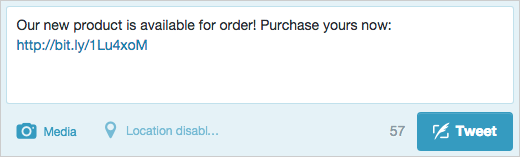
Easily allow customers to purchase your product directly from Twitter, Facebook, and other social networks by pasting your Foxy product link.
- Email
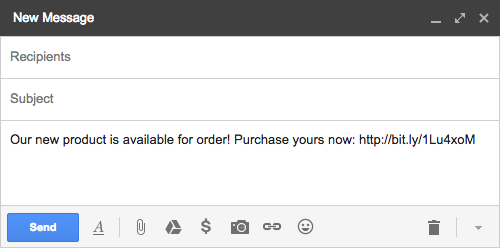
Emailing a purchase link is as simple as pasting your Foxy product link into the body of your email.
Over $2 Billion Processed
For over 11 years, we have powered billions of dollars in transactions for thousands of users all over the world.


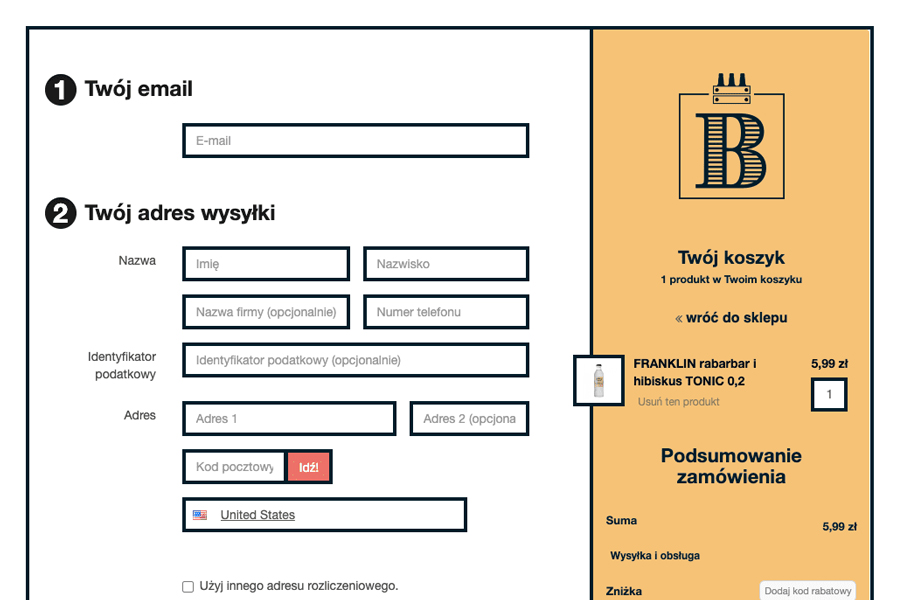
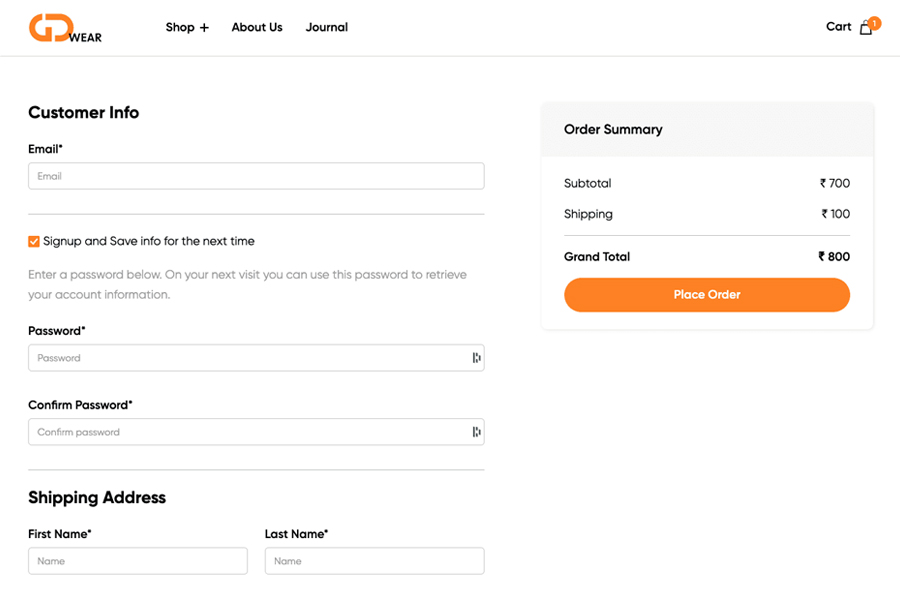
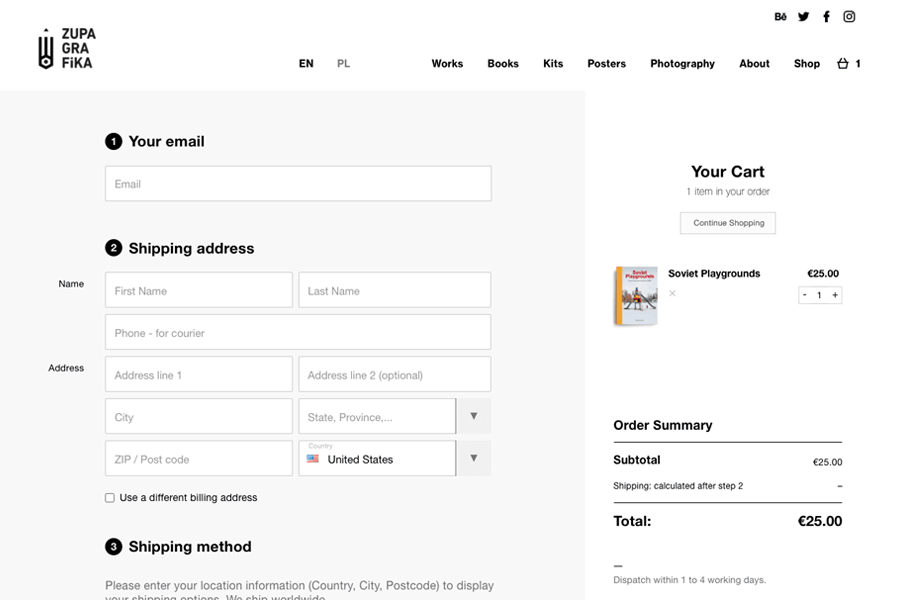
A superior, seamless checkout experience.
Our checkout is faster, better converting, more profitable, and 100% customizable.
Learn more
Get it delivered.
Flexible, customizable shipping options ensure on-time delivery.


100+ payment methods and counting.
Instantly connect to your preferred gateway and alternate payment methods.


